Category: Angular

With Angular, I am documenting all of my research and development techniques I find with Angular. This helps me remember important information and hope to help others as well.

  • New Angular Project in Current Directory

    New Angular Project in Current Directory

    One of my projects required a new Angular 6 project folder.  I needed to scaffold the Angular 6 contents in an existing directory.

    The following command will generate a new Angular 2+ project in your current directory:


    ng new appName --directory ./

    Credits

  • Angular prod build using “ng build /serve –prod”

    Angular prod build using “ng build /serve –prod”

    While working on my Electron application my login functionality didn’t function anymore.

    Root Cause

    Updated Angular CLI and uglify also got updated.  The newest uglify version breaks builds.

    Solution

    Run the following to temporarily go back to a working version:

    npm i [email protected] --save-exact && rm -rf package-lock.json node_modules && npm i && npm ls uglify-es


  • Setting Angular CLI to NPM or Yarn

    Setting Angular CLI to NPM or Yarn

    I’ve recently switched back to using NPM from Yarn as my default package manager due to Angular project problems.  The following two commands will let you switch between Yarn and NPM:

    # Switch to Yarn
    ng set --global packageManager=yarn
    
    # Switch to NPM
    ng set --global packageManager=npm

    The main reason that I had to switch back was because of Angular builds created errors during AWS CodeBuild automation processes.

    Source: Medium

  • MD5 Hashing for JavaScript

    Gravatar requires the usage of MD5 hasing when it comes to pulling images from their website.  To accomplish this, I’ve implemented several MD5 plugins from different authors.

    The plugin that integrated nicely (with no console errors) was JavaScript MD5.

    To implement this on an Angular Component/Service:

    import { Component } from '@angular/core';
    var md5 = require("blueimp-md5");
    
    @Component({
        selector: "app-some-component",
        template: ``
    })
    export class TestComponent {
        strUserEmail: string;
    
        /**
         * Returns a URL of the Gravatar image.
         * @return {string} - URL of user's image.
         */
         public getImage(): string {
             return "https://www.gravatar.com/avatar/" + md5(this.strUserEmail) + "?s=200";
         } // getImage()
    }

    Throughout my Angular service/component I can simply call md5().

  • Angular 2+ Update

    I find myself updating Angular a lot (I’m currently on 4).  One of the conversations I found with other Angular developers, there’s a website that helps explain the update process to a newer version.

    Here’s the site:

    https://angular-update-guide.firebaseapp.com/

    Additionally, don’t forget about the official Angular website:

    https://angular.io/


  • Code Documentation Example

    Code documentation example with TypeScript.

    /** Class representing a point. */
    class Point {
        /**
         * Create a point.
         * @param {number} x - The x value.
         * @param {number} y - The y value.
         */
        constructor(x, y) {
            // ...
        }
    
        /**
         * Get the x value.
         * @return {number} The x value.
         */
        getX() {
            // ...
        }
    
        /**
         * Get the y value.
         * @return {number} The y value.
         */
        getY() {
            // ...
        }
    
        /**
         * Convert a string containing two comma-separated numbers into a point.
         * @param {string} str - The string containing two comma-separated numbers.
         * @return {Point} A Point object.
         */
        static fromString(str) {
            // ...
        }
    }
    

    Sources: Wikipedia

  • Google Analytics Angular Service with Click Events

    This example will give your Angular application the ability to use gtag() and use the service to inject it in components needing Google Analytics push abilities such as events.

    seo.service.ts

    import { Injectable } from '@angular/core';
    import { Meta, Title } from '@angular/platform-browser';
    
    declare var gtag: Function;
    
    @Injectable()
    export class SeoService {
        constructor(
            private titleService: Title, 
            private metaService: Meta
        ) {}
    
        /**
         * Page title.
         * @param strTitle - Page title.
         */
        public setTitle(strTitle: string) {
            this.titleService.setTitle(strTitle);
        } // setTitle()
    
        /**
         * Sets the meta description.
         * @param strMetaDescription - Meta description.
         */
        public setMetaDescription(strMetaDescription: string) {
            this.metaService.updateTag({
                content: strMetaDescription
            }, "name='description'" );
        } // setMetaDescription()
    
        /**
         * Sends Google the click event.
         * @param strCategory - Set category.
         * @param strName - Description
         */
        public handleOutboundLinkClicks(strCategory, strDescription) {
            gtag('event', 'click', {
                "event_category": strCategory,
                "event_label": strDescription
            });
        } // handleOutboundLinkClicks()
    }
    

    Function Descriptions

    • setTitle(strTitle: string) – Sets the title of the page displayed.
    • setMetaDescription(strMetaDescription: string) – Sets the meta description.
    • handleOutboundLinkClicks(strCategory, strDescription) – Push to Google Analytics a click event.

    example.component.ts

    import { Component } from '@angular/core';
    import { SeoService } from "./seo.service";
    
    @Component({
        selector: 'duaneleem-example',
        template: ``,
        styles: [``],
        providers: [SeoService]
    })
    export class ExampleComponent {
        handleOutboundLinkClicks: any;
    
        constructor(private seoService: SeoService) {
            // SEO
            seoService.setTitle("DuaneLeem.com");
            seoService.setMetaDescription("The Perpetual Student");
            this.handleOutboundLinkClicks = seoService.handleOutboundLinkClicks;
        }
    }
    

    Hope this helps!  If there are much efficient ways to better do this, please let me know 🙂

    ~ Duane

  • Transpile issues using Yarn as the package manager.

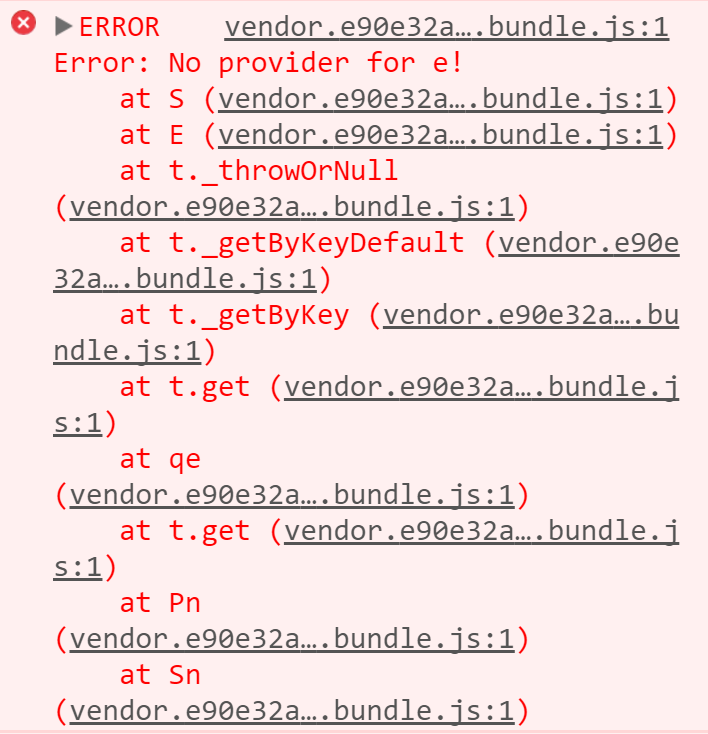
    While working on one of my Angular 4 apps, the transpiled output was displaying this on our production website that utilizes Docker NGINX:1.13

    Angular 4 Error

    I’ve been using Yarn as my default package manager for many of my Angular web applications.  I’ve experimented several techniques, and ultimately found that if I used “npm install” instead of “yarn install“, my web application worked under Docker nginx:1.13.

    Sources: GitHub

  • Lazy loaded components can’t use parent components.

    I’ve ran into an issue that I didn’t know about.  At first, I thought this particular issue is a bug.  It’s not but a feature of Angular 4.

    The Problem

    Lazy loaded components are unable to see parent-components that are already loaded.

    Solution

    We need to create a module that houses all the required components we need and import them in modules that require said components.

    Loader.module.ts

    Create a LoaderModule that has the components you need on lazy loaded components.

    import { NgModule } from '@angular/core';
    import { RouterModule } from "@angular/router";
    
    import { SidebarComponent } from "./sidebar.component";
    
    @NgModule({
        imports: [RouterModule],
        exports: [SidebarComponent],
        declarations: [SidebarComponent],
        providers: [],
    })
    
    export class LoaderModule { }

    Update lazy.module.ts

    Update your lazy loading module to add the following:

    import { NgModule } from '@angular/core';
    import { LoaderModule } from "./loader.module";
    
    @NgModule({
        declarations: [],
        imports: [LoaderModule]
    })
    export class LazyModule {}
    

    Whenever you need to use the shared components from LoaderModule, just import it into the module files that require the components.

    Sources: StackOverflow

  • Custom Deployment CLI for Angular Projects

    Hi everyone,

    I’ve created a mini-tutorial page on the process of creating an automatic deployment CLI for our Angular projects.

    This one line execution will run the following:

    • ng build –prod
      • Make a final build of your application.
    • aws s3 rm s3://your-website –recursive
      • Deletes all the stuff in your bucket.
    • aws s3 cp ./dist s3://your-website –recursive
      • Copies the final dist folder that was compiled on your computer and uploads it to your bucket.
    • aws configure set preview.cloudfront true
      • Enable experimental abilities (which is needed to utilize create-invalidation)
    • aws cloudfront create-invalidation –distribution-id XXXXXXXXXXXXXX –paths ‘/*’
      • This will create an invalidation on CloudFront.  Replace XXXXXXXXXXXXXX with your CloudFront ID specific to your CloudFront distribution.

    This is the deployment command:

    yarn deploy

    Please visit the Custom Deployment CLI for Angular Projects for the full details on creating this on the AWS platform.